> For the complete documentation index, see [llms.txt](https://docs.dextrabot.com/llms.txt). Markdown versions of documentation pages are available by appending `.md` to page URLs; this page is available as [Markdown](https://docs.dextrabot.com/copy-trade-telegram/copy-trading.md).
# Copy Trading
Copy Trading allows you to automatically mirror the trades of successful traders by monitoring their wallet activity and replicating their positions in real-time.
### Getting Started with Copy Trading
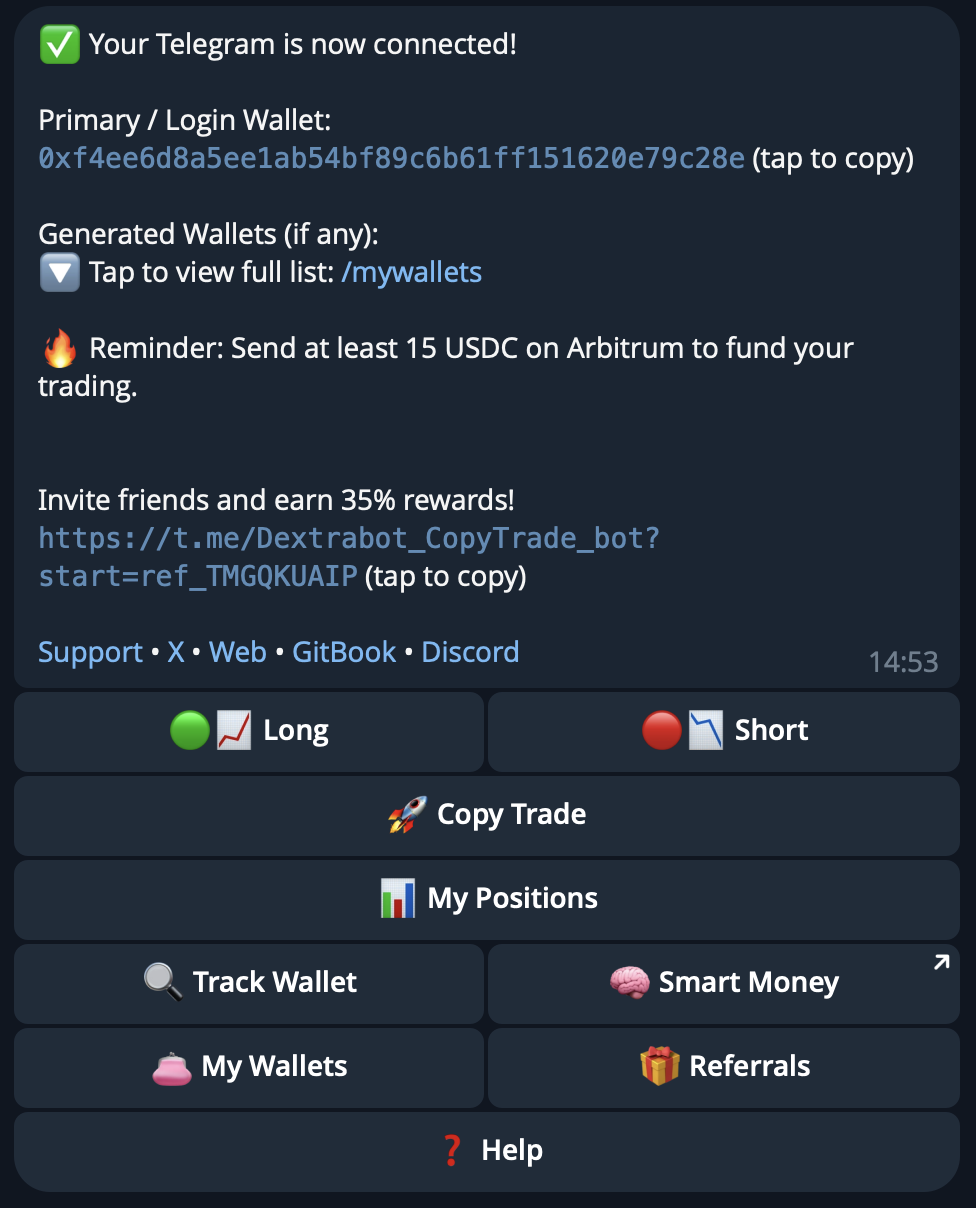
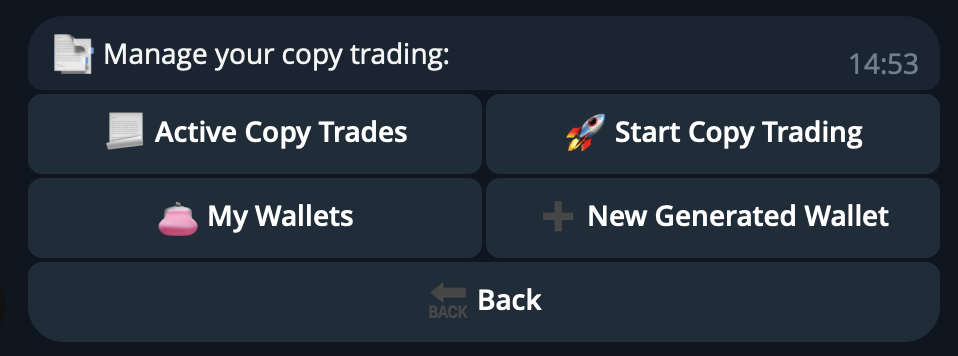
From the main menu (after typing `/start`), tap **🚀 Copy Trade** to access the copy trading management interface.
You'll see three options:
* **📄 Active Copy Trades**: View and manage your running copy trade setups
* **🚀 Start Copy Trading**: Create a new copy trade configuration
* **👛 My Wallets**: Manage your trading wallets
* **➕ New Generated Wallet**: Create a new wallet for copy trading
### Creating a Copy Trade Setup
#### Step 1: Start Copy Trading
Tap **🚀 Start Copy Trading** to begin configuring a new copy trade setup.
#### Step 2: Configure Copy Trade Settings
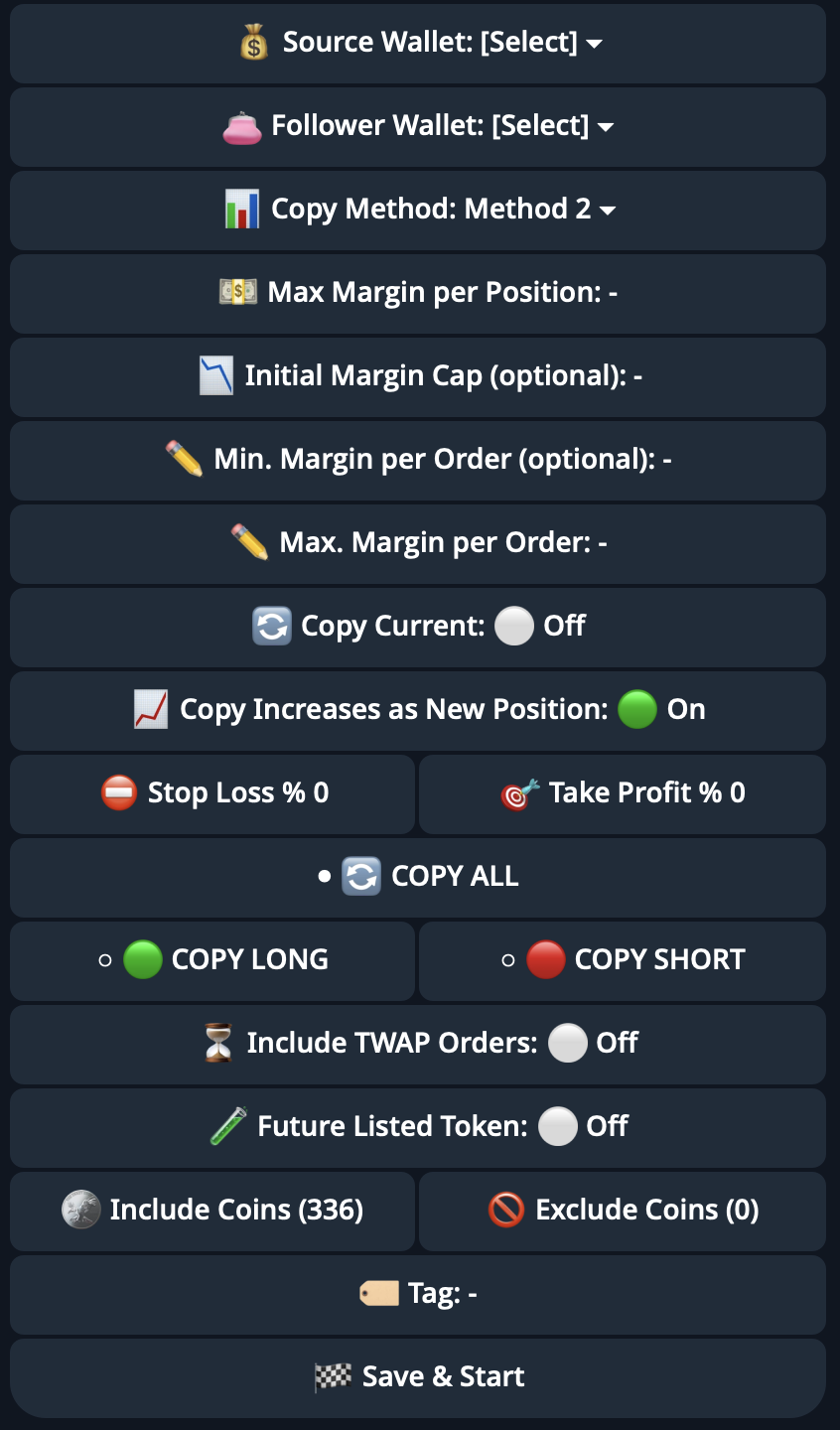
You'll need to configure the following parameters:
**Wallet Selection**
* **💰 Source Wallet**: Enter the wallet address of the trader you want to copy
* **👛 Follower Wallet**: Select which of your wallets will execute the copy trades
**Copy Method**
Choose from three available methods:
**Method 2 - Fixed Margin**
* Uses a fixed margin amount for each position
* Requires setting:
* **Max Margin per Position**: Maximum margin to allocate per trade
* **Initial Margin Cap (optional)**: Total margin limit across all positions
* **Min. Margin per Order (optional)**: Minimum margin required to open a position
* **Max. Margin per Order**: Maximum margin allowed per individual order
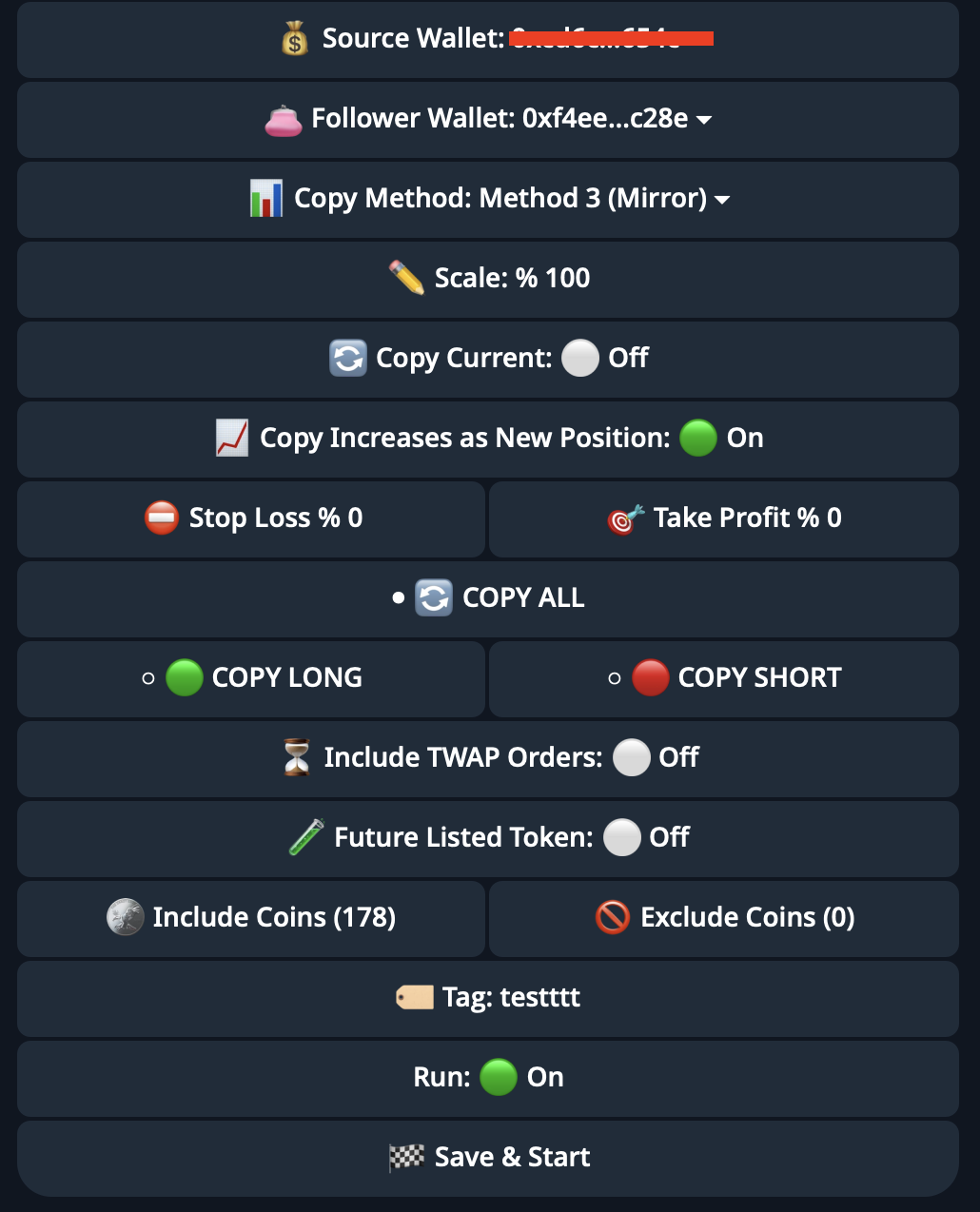
**Method 3 (Mirror)**
* Mirrors the exact position sizes of the source wallet (scaled by percentage)
* Requires setting:
* **Scale %**: Percentage of source wallet position size to replicate (e.g., 100% = same size, 50% = half size)
For detailed explanations of each method, see:
* [Method 2 Documentation](https://docs.dextrabot.com/copy-trade/methodology/method-2)
* [Method 3 Mirror Documentation](https://docs.dextrabot.com/copy-trade/methodology/method-3-mirror)
**Position Management**
* **🔄 Copy Current**: Toggle to copy the source wallet's existing open positions immediately
* **📈 Copy Increases as New Position**: When enabled, treats position increases as new positions rather than adding to existing ones
**Risk Management**
* **🛑 Stop Loss %**: Set a percentage-based stop loss for all copied positions (0 = disabled)
* **🎯 Take Profit %**: Set a percentage-based take profit target for all copied positions (0 = disabled)
**Trading Direction**
Select which types of trades to copy:
* **🔄 COPY ALL**: Copy both long and short positions
* **🟢 COPY LONG**: Only copy long positions
* **🔴 COPY SHORT**: Only copy short positions
**Advanced Filters**
* **⏳ Include TWAP Orders**: Toggle to include Time-Weighted Average Price orders
* **🟢 Future Listed Token**: Toggle to copy trades on newly listed tokens
* **🌐 Include Coins**: Select specific coins to copy (shows total count, e.g., 336 coins)
* **🚫 Exclude Coins**: Exclude specific coins from being copied (shows count, e.g., 0 coins)
**Organization**
* **🏷️ Tag**: Add a custom label to identify this copy trade setup (e.g., "testttt")
#### Step 3: Save and Start
Once all settings are configured, tap **🏁 Save & Start** to activate your copy trade setup.
### Managing Active Copy Trades
#### Viewing Active Setups
From the Copy Trade menu, tap **📄 Active Copy Trades** to see all your running copy trade configurations.
Each setup shows:
* Status indicator (🟢 = active, 🔴 = inactive)
* Tag/name of the setup
* **⚙️ Edit Copy Trade** button
#### Pausing Copy Trades
Tap the **🟢 \[Tag Name]** button on the left to pause the copy trade setup. The indicator will turn red (🔴) when paused.
#### Editing Copy Trades
Tap **⚙️ Edit Copy Trade** to modify the configuration settings:
* Update margin limits
* Change copy method or scale percentage
* Adjust stop loss and take profit targets
* Modify coin filters
* Toggle the **Run** status (On/Off)
After making changes, tap **🏁 Save & Start** to apply the updates.
#### Run Status
At the bottom of the edit screen, you'll see:
* **Run: 🟢 On** - Copy trading is active
* **Run: ⚪ Off** - Copy trading is paused
Toggle this to start or stop the copy trade without deleting the configuration.
### Monitoring Your Copy Trades
All positions opened through copy trading can be monitored in:
* **📊 My Positions**: View all open positions from copy trades alongside your manual positions
* Each position will display the source tag you assigned during setup
### Important Notes
> ⚠️ **Capital Requirements**: Ensure your follower wallet has sufficient balance to execute copy trades based on your margin settings.
> 💡 **Pro Tip**: Start with conservative margin limits and gradually increase as you gain confidence in the source wallet's trading strategy.
> 🔍 **Due Diligence**: Always research and verify the trading performance of any wallet before copying their trades.
---
# Agent Instructions
This documentation is published with GitBook. GitBook is the documentation platform designed so that both humans and AI agents can read, navigate, and reason over technical content effectively. Learn more at gitbook.com.
## Querying This Documentation
If you need additional information that is not directly available in this page, you can query the documentation dynamically by asking a question.
Perform an HTTP GET request on the current page URL with the `ask` query parameter, and the optional `goal` query parameter:
```
GET https://docs.dextrabot.com/copy-trade-telegram/copy-trading.md?ask=&goal=
```
`ask` is the immediate question: it should be specific, self-contained, and written in natural language.
`goal` is optional and describes the broader end goal you are ultimately trying to accomplish on behalf of the user. GitBook uses it to tailor the answer towards what is most useful for that goal.
The response will contain a direct answer to the question and relevant excerpts and sources from the documentation.
Use this mechanism when the answer is not explicitly present in the current page, you need clarification or additional context, or you want to retrieve related documentation sections.